
Friday: AI E-mail Assistant
Players LinkProductivity
4.4326.00 Reviews
- Version
- 1.1.22
- Installs
- 1.00M
- Age Rating
- Everyone
Screenshots

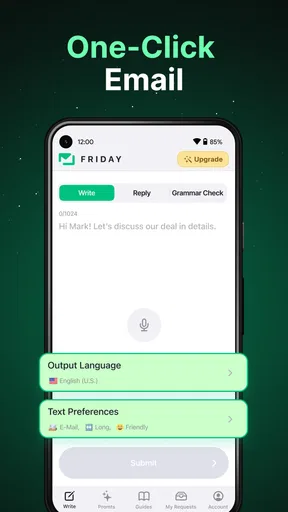
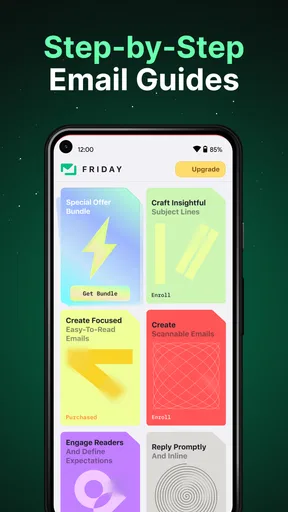
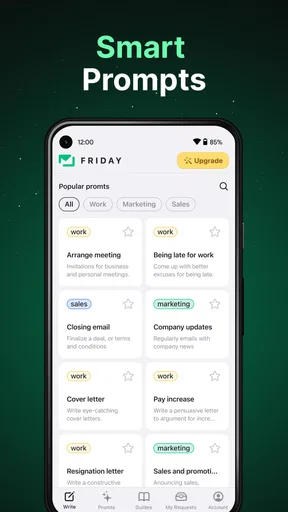
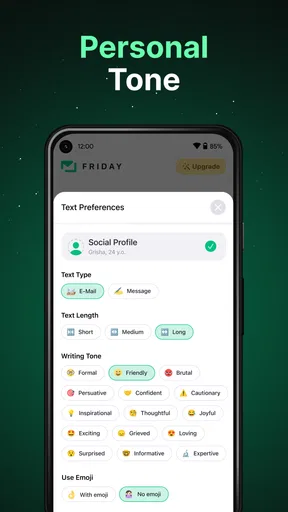
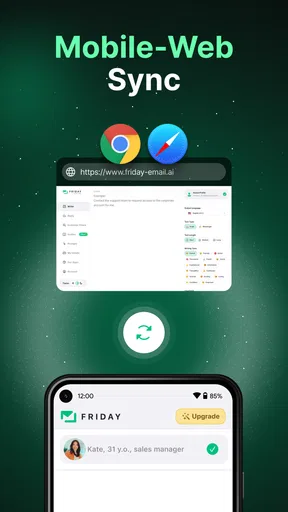
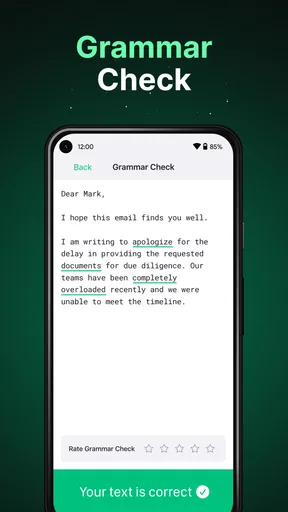
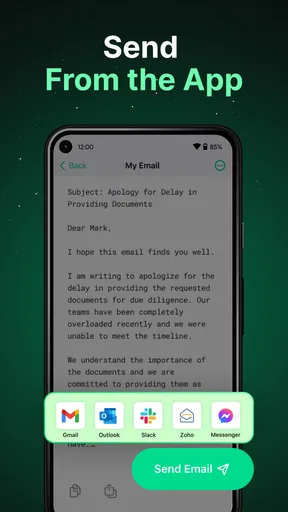
Our Review of Friday: AI E-mail Assistant
 Analysis by Appyee
Email productivity usually breaks down before I open the inbox: I forget which messages need a reply, leave drafts half-finished, and let small requests compete with genuinely important work. An AI writing assistant can help with some of that, but it is not a substitute for deciding what deserves attention. I see Friday: AI E-mail Assistant as a tool for reducing the effort of getting words onto the screen, best used within a routine that still gives me control over priorities and follow-ups.
Start with a simple inbox routine
Before relying on any assistant, I find it helps to decide what an email session is for. I might scan for urgent requests first, set aside messages that need a considered answer, and clear simple replies in one pass. That small bit of structure matters because AI can speed up drafting without knowing which task is most important to me.
Friday is a productivity app from Players Link, built around AI-assisted writing for tasks such as email, essays, stories, and chat. It is free to install, while in-app purchases range from $4.99 to $99.99 per item. It is rated for Everyone, and the app has a 4.4 average from around 38,000 ratings, with over a million installs. Those figures suggest it has found an audience, but they do not tell me whether its writing style will suit a particular person; that still takes trying it with ordinary work.
Use it to get from a blank page to a useful draft
The most practical role for an AI writing assistant is often getting past the first sentence. If I need to acknowledge a request, ask for clarification, or write a polite follow-up, a suggested draft can give me something to edit rather than making me start cold. I would treat the result as a first pass: check names, dates, promises, and tone before sending, especially when a message could affect a client, colleague, or deadline.
A realistic use case is a busy morning with a meeting coming up and several messages waiting. I can identify the email that needs a quick confirmation, use AI assistance to shape a concise response, then move on to the message that needs my own judgment. That is a more sensible workflow than asking an assistant to handle the inbox wholesale. The time saved comes from reducing hesitation and repetitive phrasing, not from handing over responsibility.
Capture follow-ups before they disappear
Email often creates small commitments that are easy to overlook: send a document later, check a detail with someone, or respond after a meeting. Friday’s reminder feature, described as customizable, fits that problem better than simply marking a message as read and hoping I remember it. A useful habit is to attach a reminder to the specific conversation as soon as I decide it needs another action, rather than waiting until the end of the day.
I would keep the reminder tied to a concrete next step. “Ask Jordan for the revised date” is more actionable than “deal with this email.” This is not a complicated productivity system; it is a way to make the handoff between reading and doing less fragile. For people who already use a calendar or task manager, the key question is whether another reminder surface feels helpful or merely adds one more place to check.
Organize for retrieval, not decoration
Folders and labels are most useful when they answer a question I will ask later: “Where is the project approval?” or “Which messages still need a reply?” Friday is presented as helping categorize email and find older messages through search. I would avoid creating a long list of labels at the start. A few distinctions that support real decisions—such as waiting for someone else, needing my response, or reference material—are easier to maintain than a detailed taxonomy that becomes stale.
One non-obvious benefit of pairing search with simple labels is that I do not need to predict every future filing need. I can label only the conversations that are likely to matter again and search for the rest when needed. That balance keeps organization from turning into another inbox chore. If a workplace already has strict folder conventions, though, I would preserve those rather than building a competing system inside a new app.
How Friday fits into everyday email work
Friday is currently at version 1.1.22 and requires Android 7.0 or later. The version number is useful when checking compatibility, but the more important practical test is whether the app fits the email habits I already have. I would start with a low-stakes task, such as drafting a routine acknowledgement, before trusting it with sensitive or high-consequence correspondence.
Getting Started with Friday
Diving into Friday: AI E-mail Assistant is pretty straightforward. The setup is a breeze: just download the app, sync your email accounts, and you’re ready to roll. It supports a variety of email providers, so whether you’re on Gmail, Outlook, or any other major service, you’re covered.
The interface is clean and intuitive, which is a massive win in my book. You won’t be fumbling around trying to find features. Everything is laid out in a way that makes sense, and the learning curve is practically non-existent.
Main Features That Stand Out
One of the coolest things about Friday is its ability to sort and prioritize your emails. It uses smart algorithms to figure out what’s important and what can wait. It’s like magic! You’ll find yourself spending less time sifting through junk and more time focusing on what matters.
"Friday has transformed the way I manage my emails, making my daily routine much more efficient."
Another feature I love is the customizable reminders. Friday doesn’t just help you read emails—it helps you act on them. You can set reminders for follow-ups, ensuring you never drop the ball on important conversations.
AI-Powered Replies
Friday comes equipped with AI-powered reply suggestions. So, if you’re like me and sometimes struggle to find the right words, Friday’s got your back. It offers smart, context-aware suggestions that can save you a ton of time and effort. And don’t worry, you can tweak the suggestions to fit your personal style.
It’s like having a quick brainstorming session with a friend. You’ll find yourself breezing through replies with a confidence boost, knowing you’ve got the perfect words at your fingertips.
Keeping You Organized
Organization has never been my strong suit, but with Friday, it’s become second nature. The app helps you categorize emails into different folders and labels, making it easy to keep track of everything. Plus, the search function is lightning-fast, so you can find old emails in a snap.
- Smart sorting of emails
- Customizable reminders
- AI-powered reply suggestions
- Efficient search and categorization
Security and Privacy
In today’s world, security and privacy are paramount, and Friday doesn’t skimp on these aspects. The app uses robust encryption to ensure your emails are safe and sound. Plus, it’s compliant with major data protection regulations, so you can rest easy knowing your information is in good hands.
Friday’s developers have placed a strong emphasis on user privacy, which is pretty reassuring in an age where data breaches are all too common.
Where an AI assistant helps—and where it doesn’t
AI suggestions are most useful for routine communication where the goal is clear and the stakes are modest: confirming a time, acknowledging a file, or asking someone to clarify a missing detail. They are less suitable when a reply needs careful negotiation, a precise account of events, or a personal apology. In those situations, I would write the substance myself and use any generated wording only as a prompt to refine the tone.
There is also a trade-off between speed and voice. Editing a suggested answer can be faster than drafting from scratch, but accepting a polished-sounding response without checking it can make a message feel generic or overconfident. My practical tip is to remove any sentence that sounds more certain, warm, or committed than I actually intend. The assistant can help with phrasing; it cannot decide what I mean.
Choosing between Friday and familiar alternatives
The usual alternative is to stay in a standard email app and write replies manually. That is still the better choice if I value a minimal setup, already have a reliable system for follow-ups, or rarely struggle to compose messages. Friday makes more sense when writing friction is a recurring problem and reminders or AI-assisted wording could help me move conversations along.
A separate general-purpose AI chatbot can also draft an email, but that approach often means switching contexts and bringing the relevant details into another conversation. An email-focused assistant may feel more convenient for quick replies, while a standalone chatbot can be preferable for longer brainstorming or work that is not tied to an inbox. I would choose based on the task rather than assuming one tool should replace the others.
Limits worth keeping in view
Friday’s appeal depends on trusting an app with an email workflow, so I would be deliberate about what I connect and what I ask it to help write. The app’s privacy claims are reassuring in principle, but I would still avoid putting confidential or sensitive material into generated prompts unless I had checked the relevant terms and felt comfortable with them. A confident-sounding draft is not proof that every detail is correct.
There is also a learning curve hidden inside the promise of convenience: the app can only save effort if I know when to use it and still review its output. If I spend more time correcting suggestions than writing my own short replies, the benefit disappears. I would judge it over a normal week of email, not by one impressive draft, and keep it only if it reduces a real source of friction.
Who is likely to get the most from it
I would recommend Friday to someone who handles frequent everyday correspondence, finds blank-page drafting slow, or tends to forget follow-ups after reading a message. It may also suit people who want one writing helper for email alongside essays, stories, and chat rather than using separate tools for every kind of text. The free starting point lowers the barrier to testing it, though paid in-app items are part of the overall offering.
I would skip it if I rarely send email, prefer to keep all writing manual, or need a tightly controlled professional workflow where every message must follow approved language. It is also not a replacement for a task manager when commitments span email, calls, and offline work. In my view, it works best as a small assist inside a broader system: decide what matters, capture the next action, draft with help when useful, and check the result before it leaves the inbox.
The Verdict
All in all, Friday: AI E-mail Assistant is a game-changer for anyone looking to streamline their email management. It’s efficient, user-friendly, and packed with features that genuinely make a difference. Whether you’re a busy professional or just someone who wants to declutter their digital life, Friday is a solid choice.
So, if you’re ready to take control of your inbox and make email management a breeze, give Friday a try. You might just find that it’s the assistant you’ve always wished for.
Verdict
Strengths of Friday: AI E-mail Assistant
- Efficient email sorting for busy users.
- Customizable email templates available.
- Integrates well with major email providers.
- Natural language processing enhances accuracy.
- Reduces time spent on repetitive tasks.
Limitations of Friday: AI E-mail Assistant
- Limited features in free version.
- Occasional AI misinterpretations.
- Requires stable internet connection.
- Initial setup can be time-consuming.
- Subscription can be pricey for some.
Similar Picks in This Category
View All
Google Calendar
Google LLC4.6

Google Drive
Google LLC4.3

Google Assistant
Google LLC3.9

Microsoft OneDrive
Microsoft Corporation4.6

Samsung Calendar
Samsung Electronics Co., Ltd.4.1

Microsoft OneNote: Save Notes
Microsoft Corporation4.6
Frequently Asked Questions
What is Friday: AI E-mail Assistant, and how does it work?
Friday: AI E-mail Assistant is an intelligent email management tool designed to streamline your email workflow. It uses AI to sort, prioritize, and respond to emails, helping you focus on what's important. The app integrates with popular email services, offering features like smart replies, scheduling, and reminders to enhance productivity.
Is Friday: AI E-mail Assistant compatible with both Android and iOS?
Yes, Friday: AI E-mail Assistant is available on both Android and iOS platforms. It can be downloaded from the Google Play Store for Android devices and the Apple App Store for iOS devices, ensuring compatibility across a wide range of smartphones and tablets.
What are the main features of Friday: AI E-mail Assistant?
The app offers a variety of features including AI-driven email sorting, smart replies, email scheduling, and reminders. It also provides analytics to track your email habits and suggests ways to improve efficiency. The intuitive interface is designed to make email management seamless and less time-consuming.
Are there any privacy concerns when using Friday: AI E-mail Assistant?
Friday: AI E-mail Assistant prioritizes user privacy and security. It uses encryption to protect your data and complies with international privacy standards. While the app requires access to your email to function, it ensures that your information is handled with the utmost care and confidentiality.
Is there a cost associated with using Friday: AI E-mail Assistant?
Friday: AI E-mail Assistant offers a free version with basic features. However, for advanced functionalities, such as premium support and enhanced analytics, there is a subscription-based model. This allows users to choose a plan that best fits their needs and budget.
